BIOS-recovery
🔧 Case Study: BIOS Password Recovery & Firmware Reflash — Intel NUC7i5BNH
IT Portfolio — Hardware Security Recovery
Part of an ongoing SOC Analyst portfolio lab build (ADForest.local / Windows Server 2025 / Splunk / BloodHound)
📋 Summary
| Field | Detail |
|---|---|
| Device | Intel NUC NUC7i5BNH (Board: NUC7i5BNB) |
| CPU | Intel Core i5-7260U @ 2.20 GHz (Kaby Lake, 7th Gen) |
| RAM | 16 GB DDR4 SO-DIMM |
| Incident Date | 19 January 2026 |
| Resolution Date | 24 January 2026 |
| Cost | £64.99 (eBay barebone — BIOS-locked) |
| BIOS Version (post-flash) | BNKBL357.86A.0093.2023.1030.1032 |
| Recovery File | BN0093.bio |
| Final OS | Windows Server 2025 |
| Status | ✅ Fully Operational |
🗂️ Repository Contents
├── README.md                              ← This file
├── nuc-bios-recovery-portfolio.html       ← Full interactive case study (HTML)
└── images/
    ├── 01_ebay-listing.jpg                ← eBay listing — NUC7i5BNH barebone, £64.99
    ├── 02_board-overview.jpg              ← Board fully exposed — top-down view
    ├── 03_board-labels-ram.jpg            ← Board model label (NUC7i5BNB) + 1.2V DDR4 slots
    ├── 04_bios-se-jumper.jpg              ← BIOS_SE security jumper header location
    ├── 05_board-m2-area.jpg               ← M.2 slot and board underside
    ├── 06_bios-security-menu.jpg          ← Aptio V security override menu (jumper removed)
    ├── 07_firmware-flash-done.jpg         ← Firmware flash log — all blocks [done]
    ├── 08_f7-update-tool.jpg              ← F7 BIOS update tool — BN0093.bio detected
    ├── 09_post-flash-bios.jpg             ← Post-flash BIOS setup — BNKBL357.86A.0093, 16GB confirmed
    ├── 10_seller-msg-return-offered.jpg   ← eBay message — return offered by seller
    ├── 11_seller-msg-resolved.jpg         ← eBay message — resolution confirmed 24 Jan
    └── 12_seller-msg-closing.jpg          ← eBay message — "not an inconvenience but an opportunity"
→ View the full case study (live HTML)
🖼️ Evidence Gallery
Device & Purchase
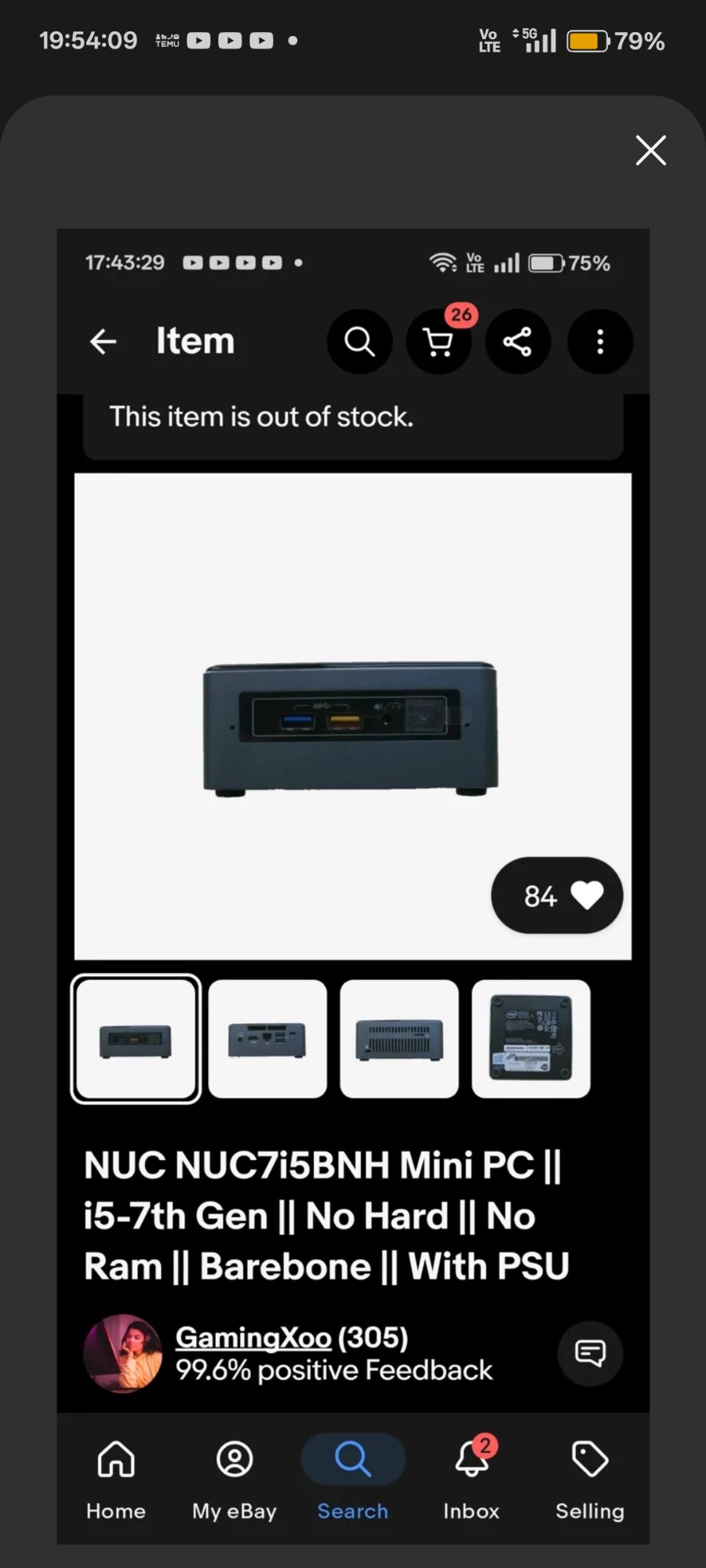 |
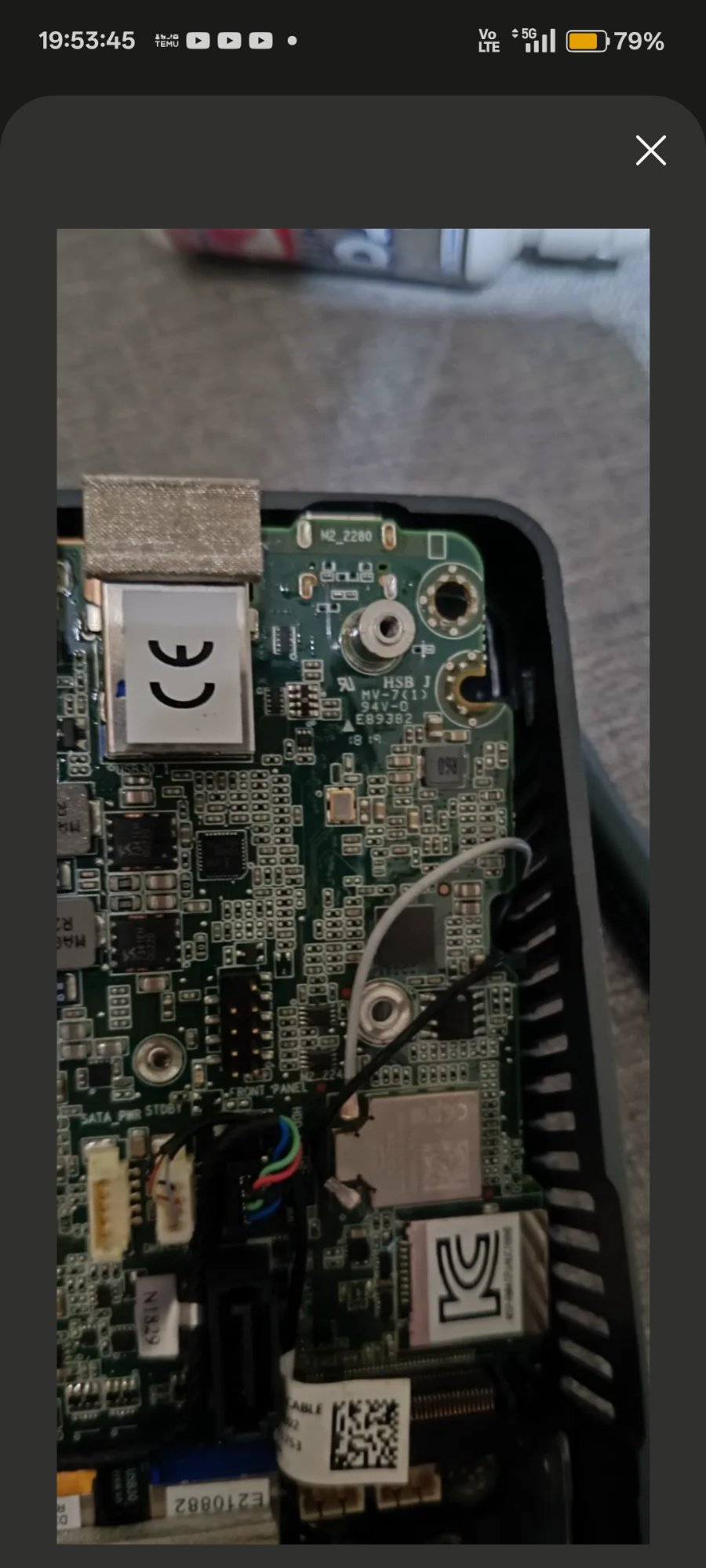 |
| eBay listing — NUC7i5BNH barebone, £64.99 | Board fully exposed — NUC7i5BNB |
Hardware Internals
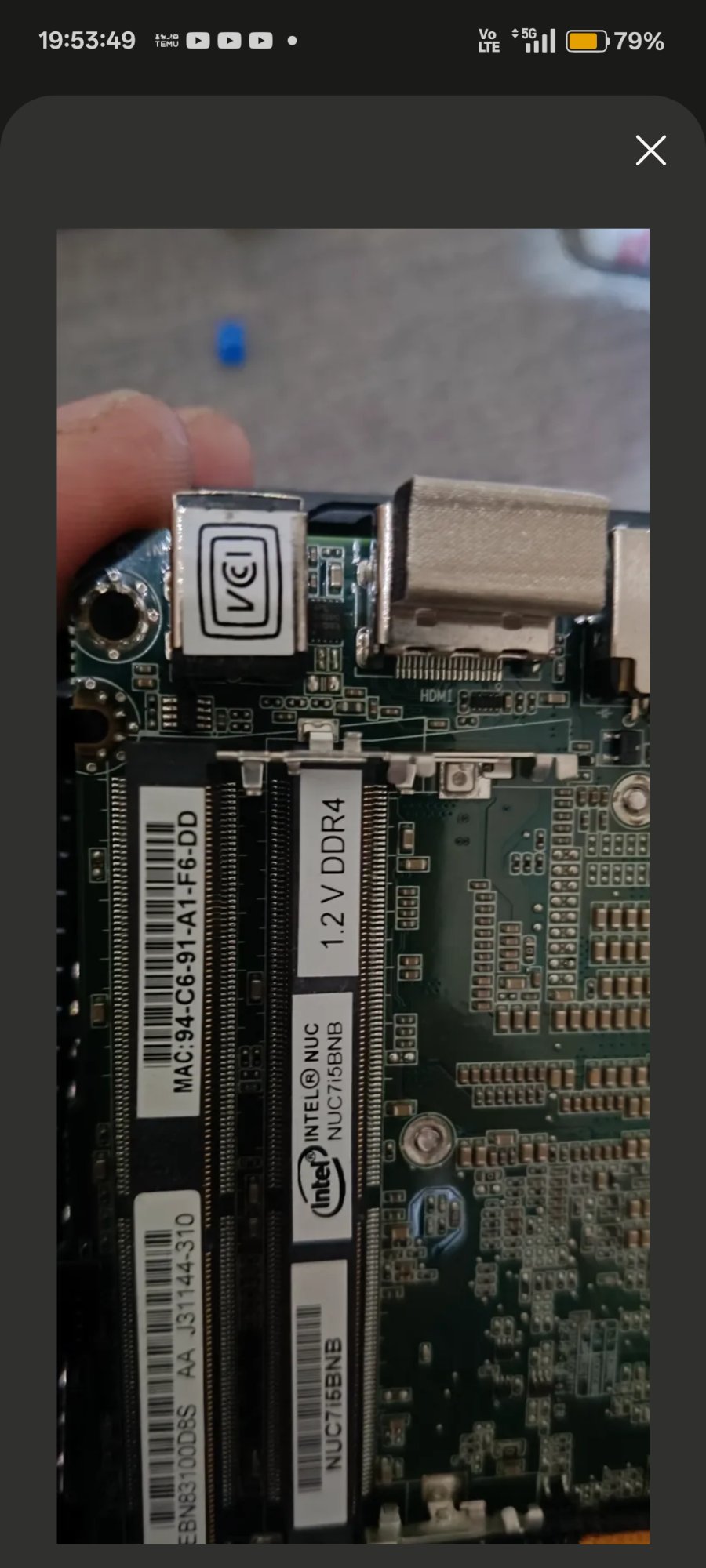 |
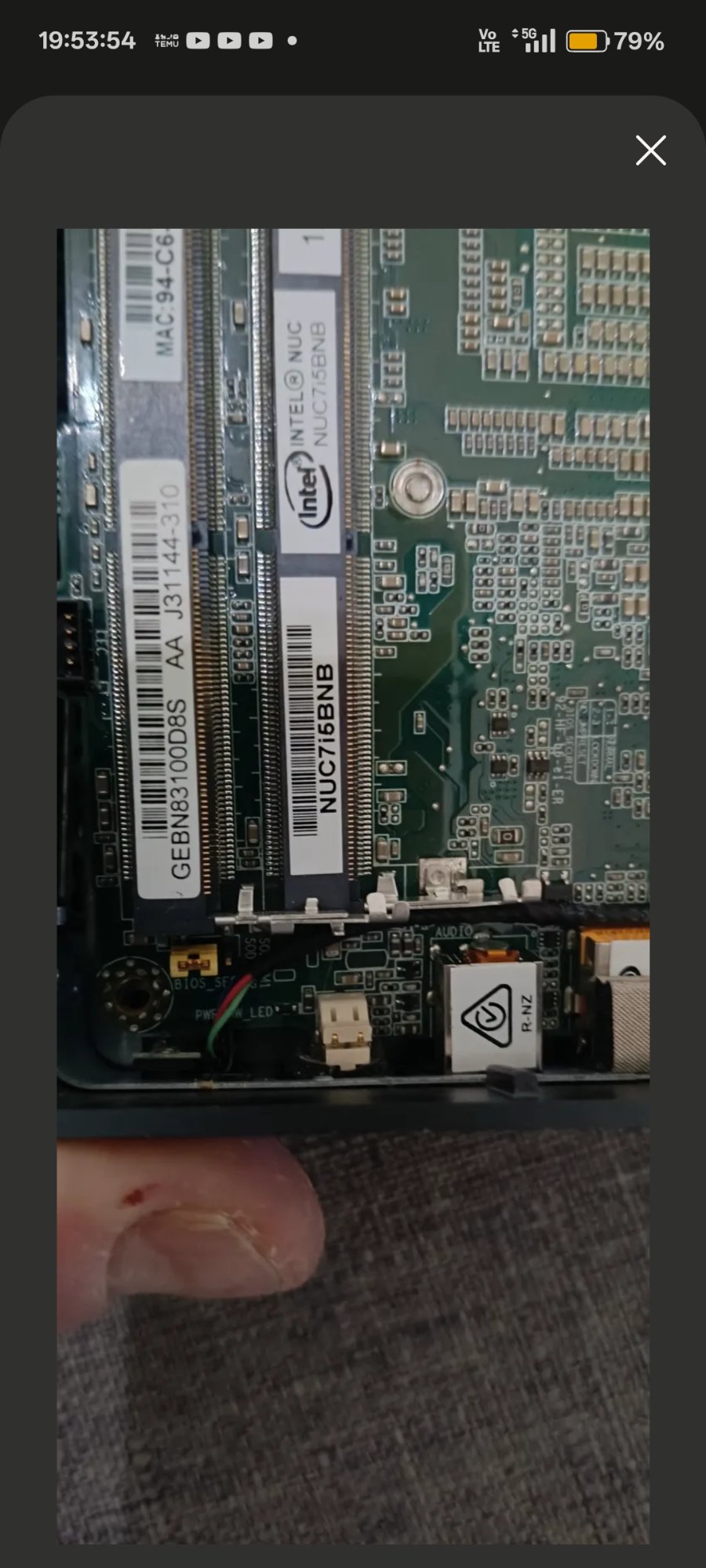 |
| Board model label NUC7i5BNB confirmed — 1.2V DDR4 SO-DIMM slots | BIOS_SE 3-pin security jumper header location |
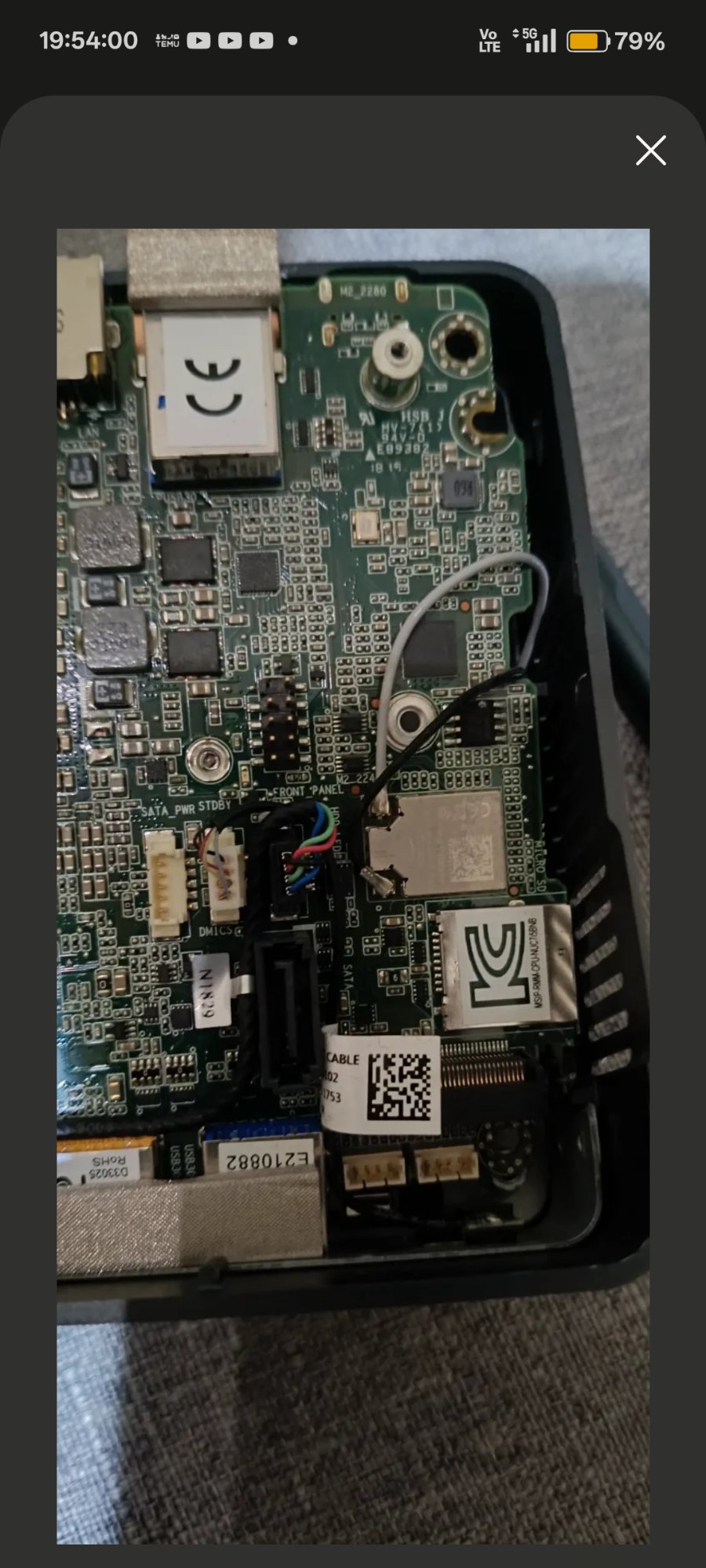
Board underside — M.2 2280 slot and front panel connector area
BIOS & Firmware
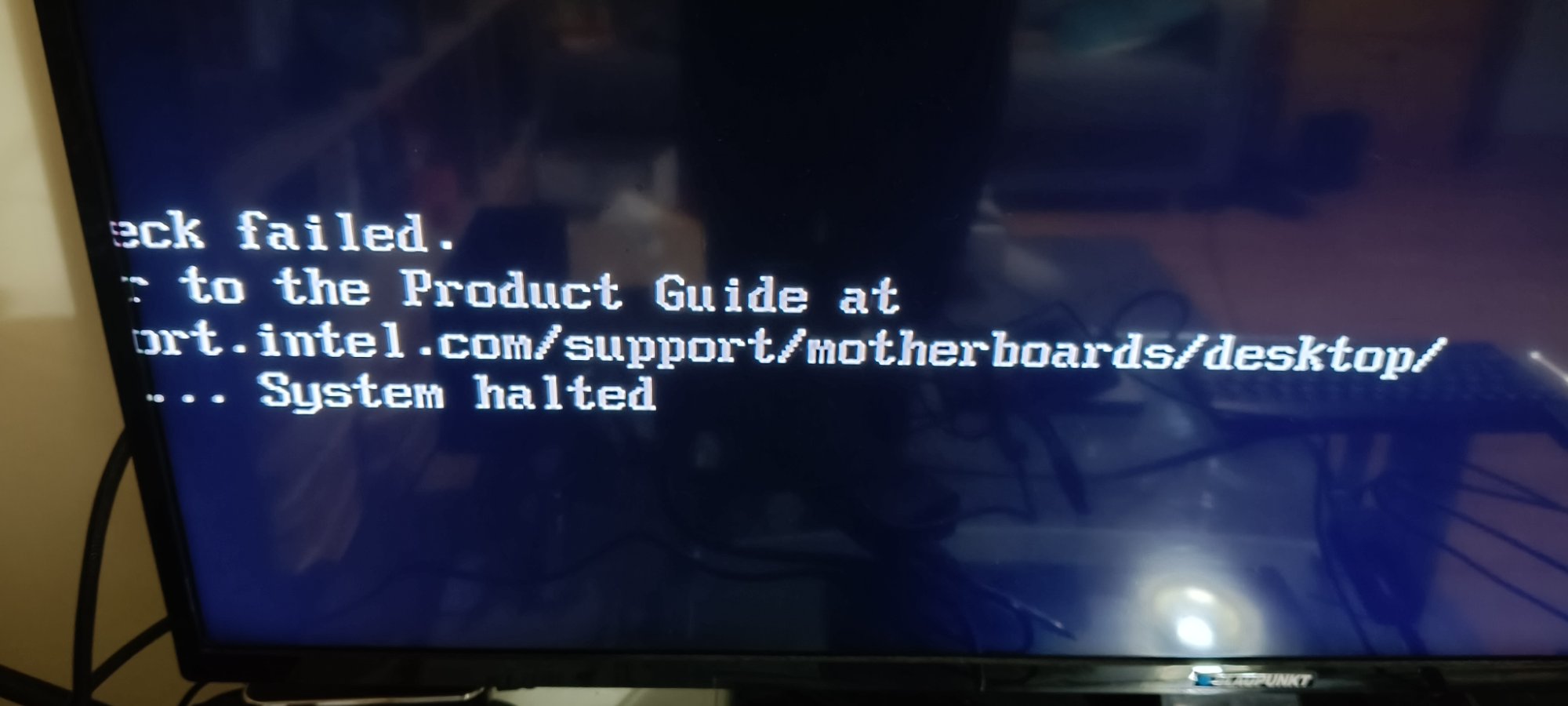 |
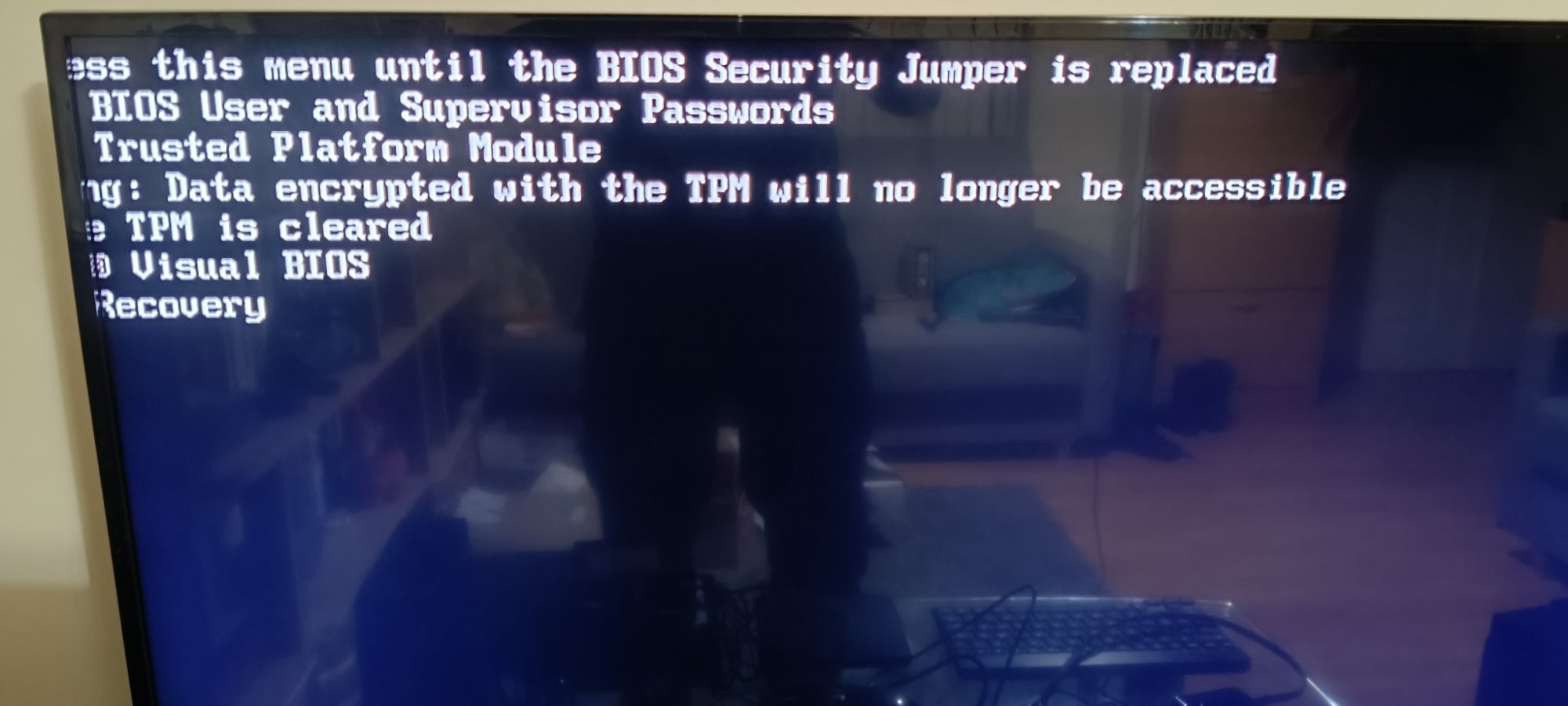 |
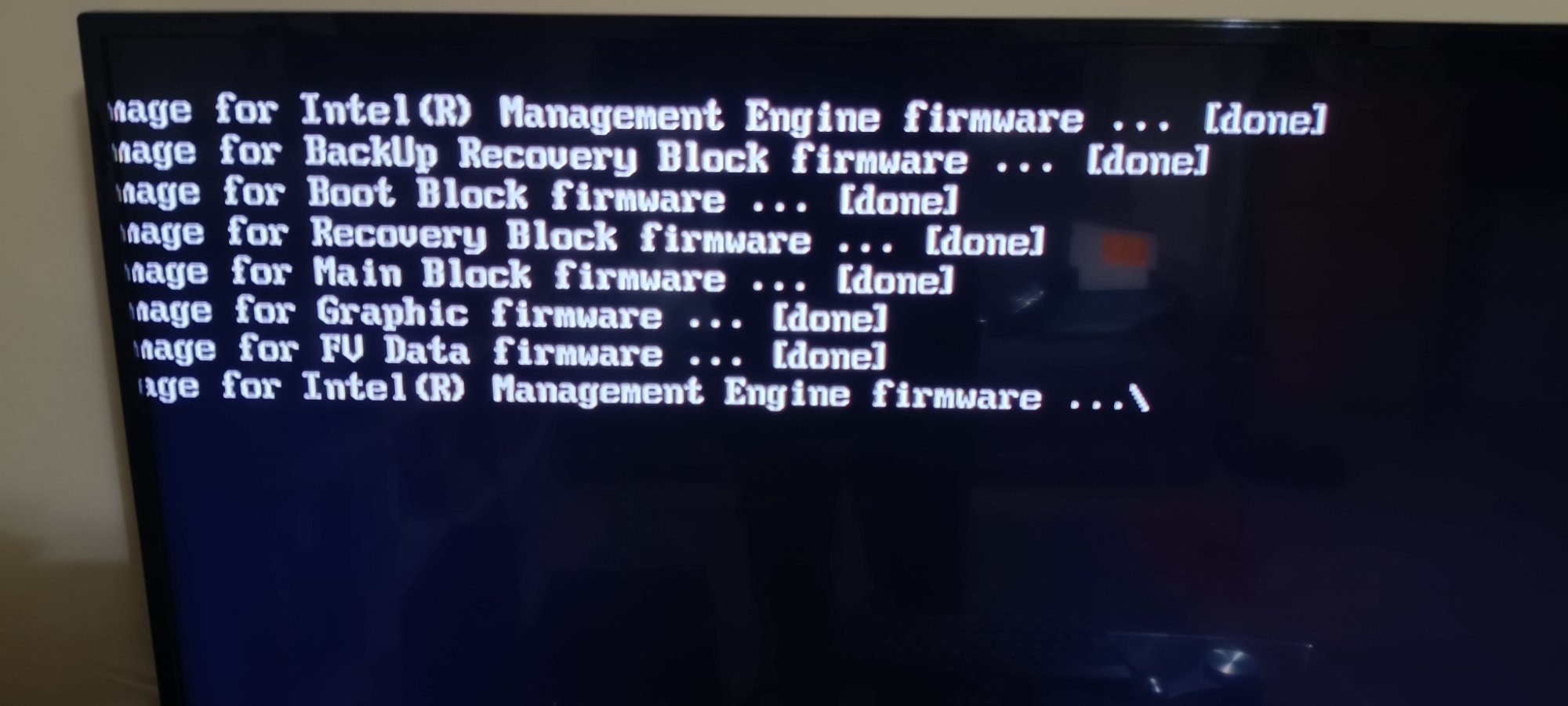
| Aptio V security override menu — appeared when no .bio detected on USB | Firmware flash log — all blocks [done], ME firmware finalising |
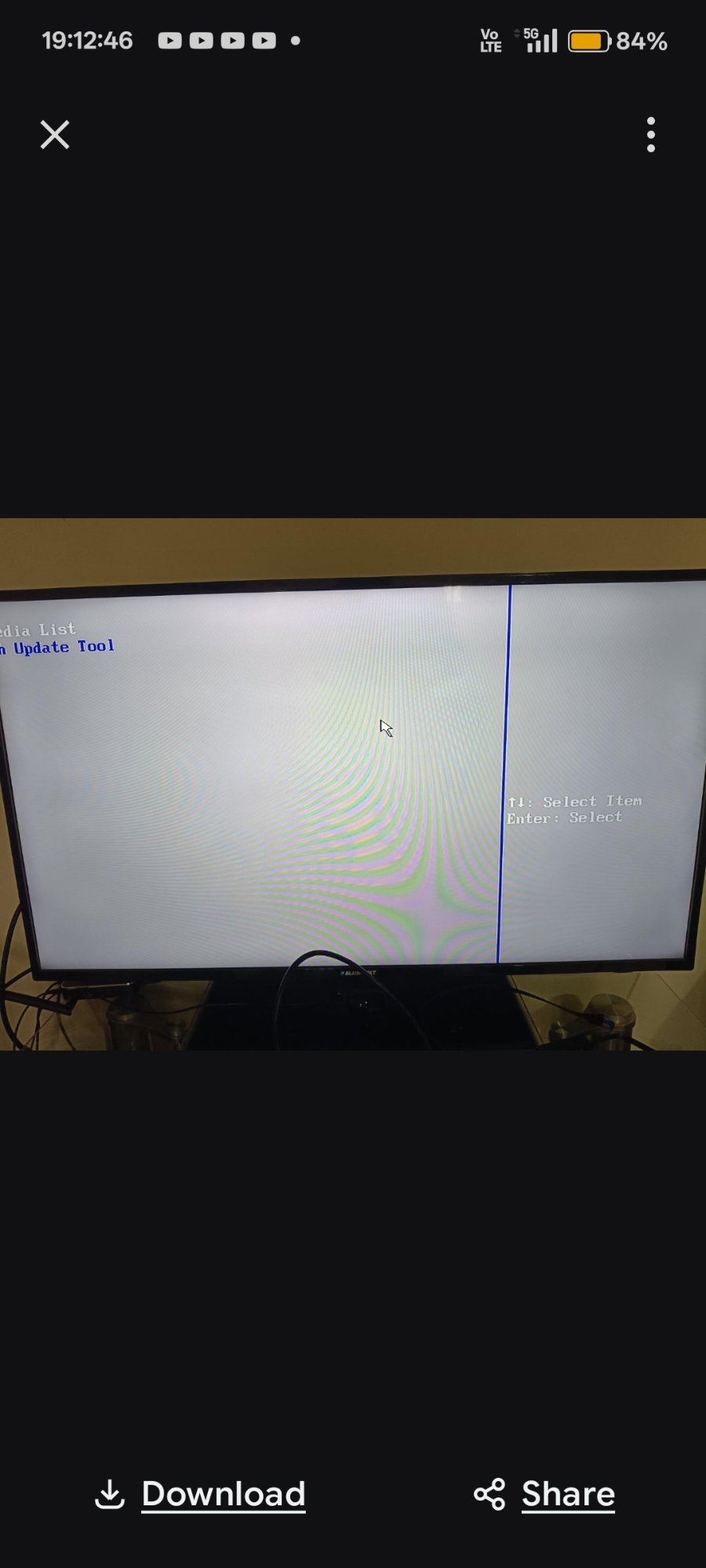 |
 |
| F7 BIOS Update Tool — BN0093.bio detected, confirmation prompt | Post-flash BIOS setup — version BNKBL357.86A.0093, 16GB RAM confirmed |
Seller Communication
 |
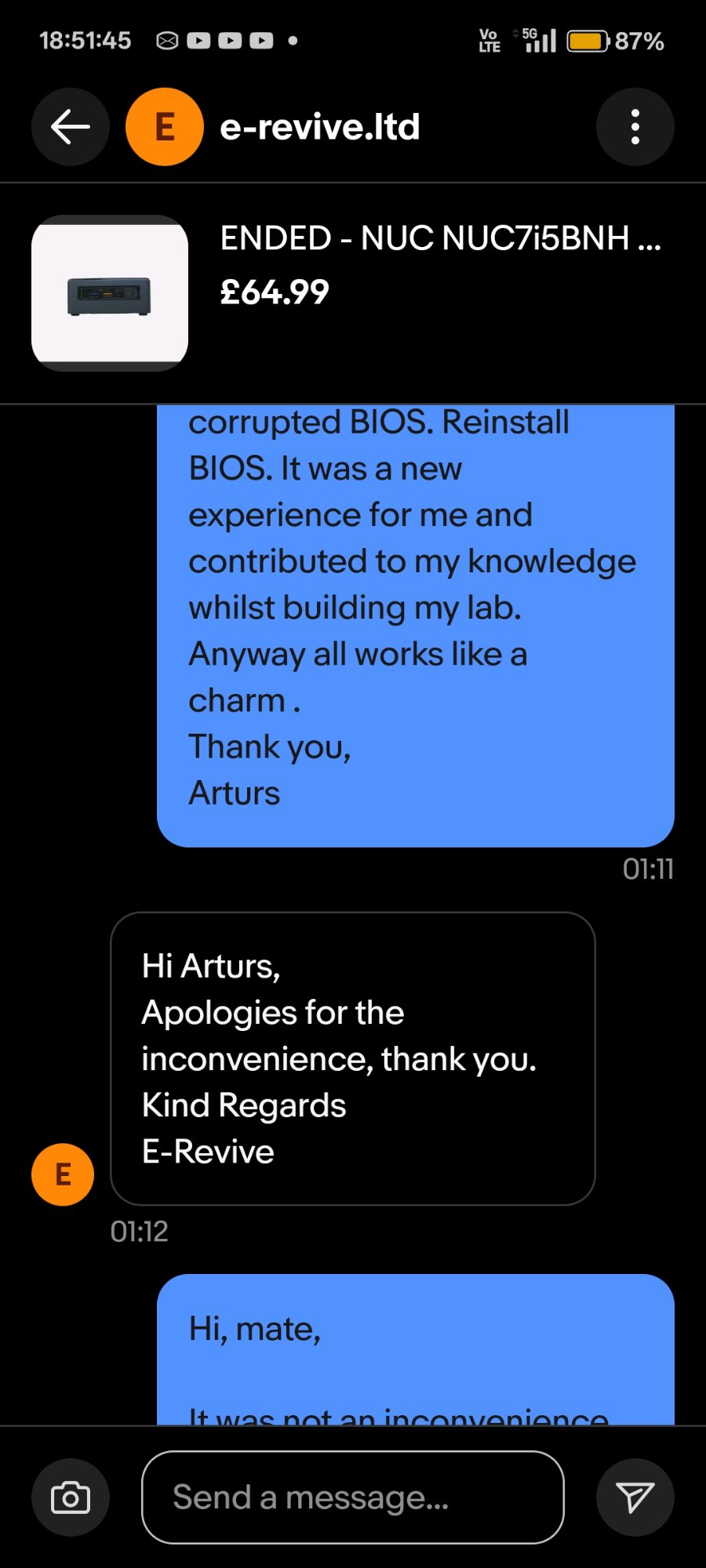 |
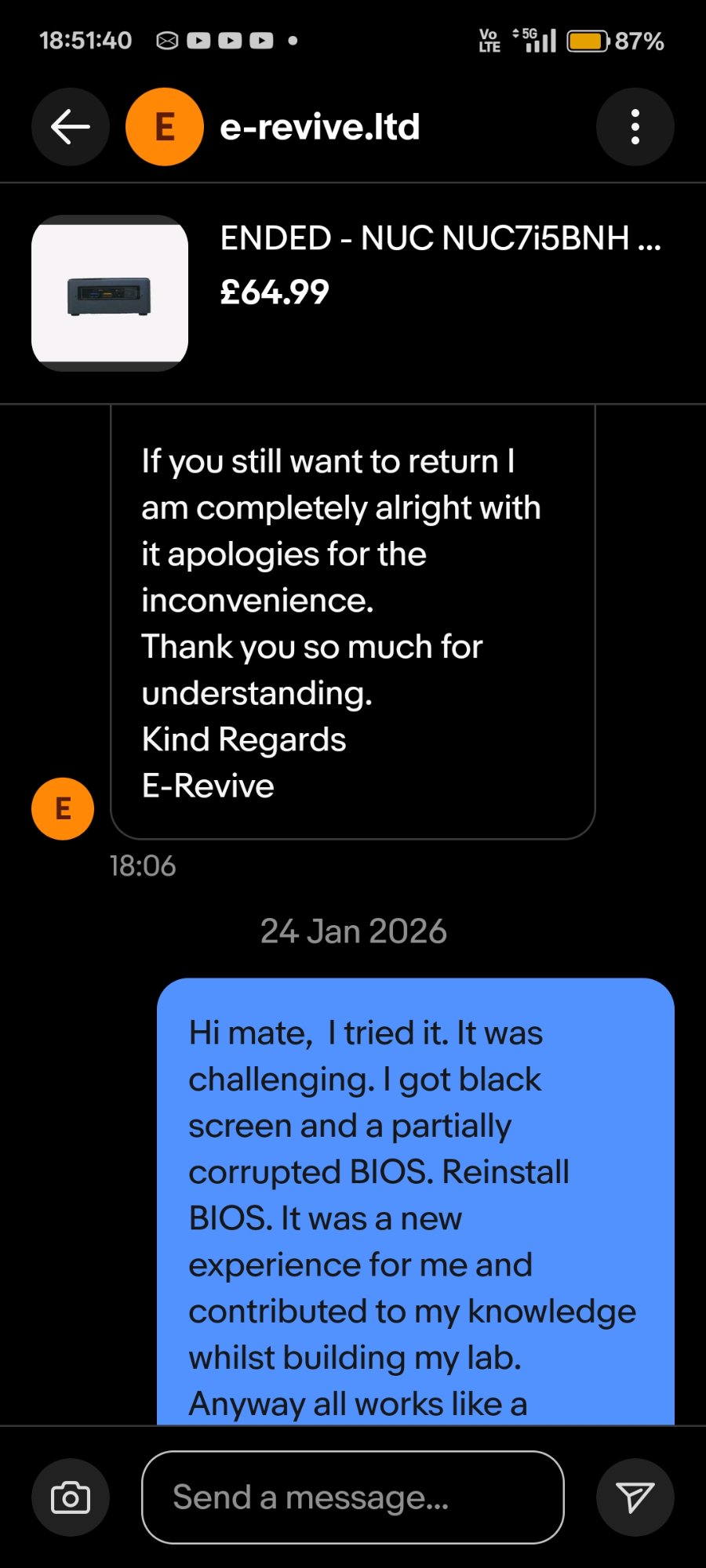
| 19 Jan — seller offered full return, challenge accepted instead | 24 Jan — resolution confirmed, device fully operational |
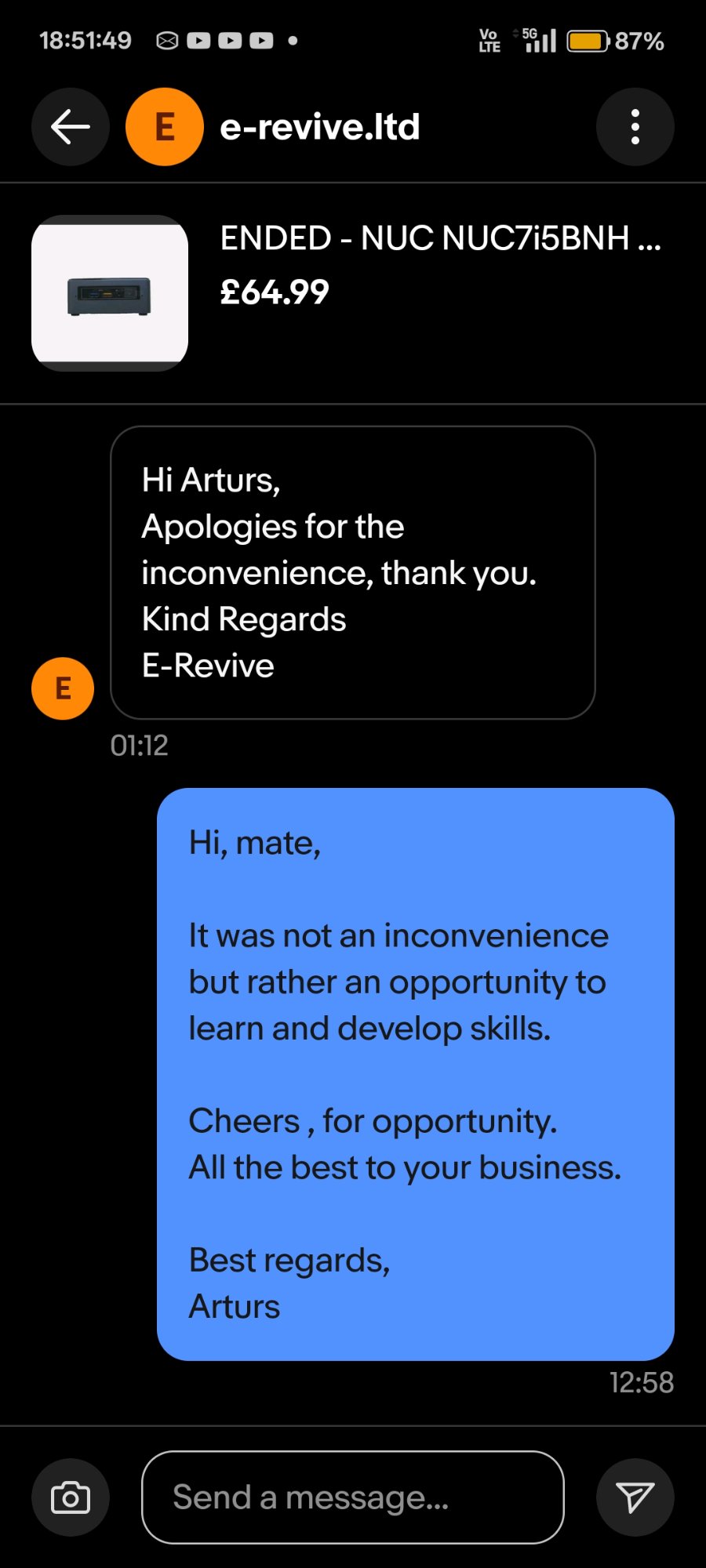
“It was not an inconvenience but rather an opportunity to learn and develop skills.”
🔍 Background
A barebone Intel NUC7i5BNH was purchased for £64.99 from an eBay reseller as a second node for a home cybersecurity lab. On first power-on the device presented a BIOS password prompt — the previous owner had left BIOS User and Supervisor passwords set, locking pre-boot access entirely.
The seller offered a full refund. The offer was declined. The device was treated as a practical hardware security recovery challenge, with every step documented as a portfolio artifact.
⚙️ Technical Scope
BIOS Architecture Involved
The NUC7i5BNH uses Aptio V UEFI (AMI-based) with a physical hardware security jumper as a secondary bypass mechanism. Firmware blocks reflashed during recovery:
| Block | Function |
|---|---|
| Boot Block | First code executed on power-on — corruption causes no-POST black screen |
| Main Block | Primary BIOS runtime |
| Recovery Block | Protected fallback region for main block failure |
| BackUp Recovery Block | Secondary recovery fallback |
| Management Engine (ME) | Intel AMT, power management, hardware telemetry |
| Graphic firmware | LSPCON controller for HDMI/DisplayPort output |
| FV Data | Firmware Volume data storage |
Security Mechanisms Encountered
- BIOS User/Supervisor Password — pre-boot authentication, set by prior owner
- BIOS Security Jumper — physical 3-pin header (
BIOS_SEon NUC7i5BNB board); removal triggers security override and enables firmware recovery mode - Intel PTT (fTPM) — Trusted Platform Module; cleared during recovery. In environments with BitLocker-encrypted drives, this would render data inaccessible without recovery keys
📅 Incident Timeline
19 Jan 2026 — 17:43 | Device Received, Password Lock Discovered
Power-on presented BIOS password prompt. System halted at pre-boot authentication. No OS access possible.
19 Jan 2026 — ~18:00 | Attempt 1: BIOS Jumper + CMOS Clear
- Opened device, located
BIOS_SEjumper header - Removed security jumper, disconnected CMOS battery
- Held power button 60 seconds, left unplugged 5 minutes
- Result: Brief display artefact (“TROX”), then black screen — BIOS partially corrupted
19 Jan 2026 — ~18:15 | Attempt 2: Security Override Menu — Option 2
- With jumper removed, Aptio V security override menu appeared
- Selected option 2 (TPM clear)
- Root cause identified: Menu appears only when no valid
.biofile is present on USB. Selecting options clears individual components but does not reflash firmware
19 Jan 2026 — ~18:25 | Recovery File Prepared
- Downloaded
BN0093.biofrom ASUS support page - USB formatted FAT32 (full format),
.biofile placed at root only - Jumper removed, USB inserted into rear port, power connected without pressing power button
19 Jan 2026 — ~18:35 | F7 Flash Tool Triggered — All Blocks Reflashed
Flashing image for Intel(R) Management Engine firmware ... [done]
Flashing image for BackUp Recovery Block firmware      ... [done]
Flashing image for Boot Block firmware                 ... [done]
Flashing image for Recovery Block firmware             ... [done]
Flashing image for Main Block firmware                 ... [done]
Flashing image for Graphic firmware                    ... [done]
Flashing image for FV Data firmware                    ... [done]
Flashing image for Intel(R) Management Engine firmware ... [done]
Device restarted automatically. Brief blue screen (LSPCON firmware reinitialisation), then normal POST.
24 Jan 2026 — 01:11 | Full Resolution
BIOS accessed via F2. F9 loaded optimised defaults. F10 saved. Windows Server 2025 installed. Device operational.
🛠️ Verified Recovery Procedure
For future reference — confirmed working on NUC7i3BNH / NUC7i5BNH / NUC7i7BNH series.
Step 1 — Prepare recovery USB
- Flash drive: FAT32, full format (not quick), ≤32 GB, USB 2.0 preferred
- File:
BN0093.bioat root directory only — no folders, no renaming - Source: ASUS NUC7i5BNH BIOS Support
Step 2 — Hardware preparation
- Power off, unplug adapter
- Open bottom cover (4× screws under rubber feet)
- Remove BIOS security jumper entirely (3-pin header labelled
BIOS_SE) - Insert USB into rear USB port
Step 3 — Trigger auto-recovery
- Connect power adapter — do not press power button
- NUC auto-starts; screen stays black during flash — this is normal
- Fan/LED activity confirms flash is running
- Wait 3–10 minutes — do not interrupt power
Step 4 — Post-flash
- Unplug power after auto-shutdown or when LED/fan activity stops
- Remove USB, replace jumper to pins 1–2 (normal/closed position)
- Power on →
F2(BIOS setup) →F9(load optimised defaults) →F10(save and exit)
⚠️ If the security menu appears instead of silent flash: The
.biofile was not detected. Verify FAT32 format, file at root, try a different USB drive or port. The menu (passwords / TPM / Recovery options) is a fallback — it does not reflash firmware unlessRecoveryis selected and the file is found.
⚠️ TPM Warning: Clearing the TPM permanently destroys TPM-sealed encryption keys (e.g. BitLocker TPM-only mode). Ensure BitLocker recovery keys are available before proceeding in any enterprise context.
🎯 Skills Demonstrated
| Area | Detail |
|---|---|
| Hardware Security | Physical BIOS security jumper operation; pre-boot authentication bypass at hardware level |
| Firmware Architecture | Aptio V UEFI block structure; understanding of Boot/Main/Recovery/ME/Graphics blocks |
| Systematic Diagnosis | Root cause identification across multiple failure modes without vendor support |
| Security Awareness | TPM data loss implications; BitLocker/enterprise asset recovery considerations |
| Documentation | Timestamped evidence collection (photos, message logs, firmware screenshots) throughout incident |
| Lab Deployment | Device recovered and deployed as AD lab node running Windows Server 2025 |
🔗 Lab Context
This device is the second node in an ongoing home cybersecurity lab:
- Domain: ADForest.local
- DC: Windows Server 2025
- SIEM: Splunk 10.2 with Sysmon TA (Event IDs 1, 3, 8, 10, 11, 12, 13, 22)
- Tools: BloodHound CE (WSL2/Docker), SharpHound v2.10.0, PingCastle, LAPS
- Purpose: SOC Analyst portfolio — AD security hardening, threat detection, attack path analysis
📚 References
| *Arturs — IT Portfolio | Case Study: NUC-BIOS-RECOVERY-2026-01* |